
You’re managing a team of 50 people. Attendance is tracked in one spreadsheet, payroll runs in another, and leave requests still come via WhatsApp. Sound familiar? At some point, every growing business hits this wall and starts looking for a proper HR system to pull everything together.
That’s exactly the problem HRMS Globex claims to solve. But is it actually good? Or is it just another platform with a slick landing page and lukewarm support?
I dug into it. Here’s the honest picture.
Quick Answer
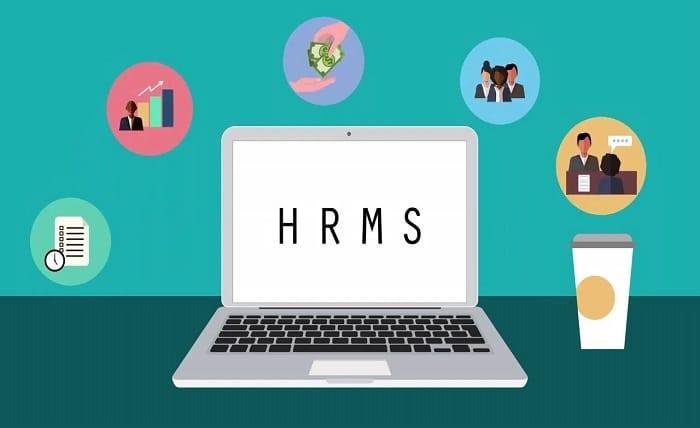
HRMS Globex is a cloud-based human resource management system that centralizes core HR functions payroll, attendance, recruitment, performance tracking, and employee self-service into one platform. It targets small-to-mid-sized businesses looking to move away from manual HR processes. It’s functional and reasonably well-structured, but transparency around pricing and company background is limited.
What Is HRMS Globex?
HRMS Globex is a cloud-hosted HR management platform designed to consolidate the full employee lifecycle under one roof. From the moment someone applies for a job to the day they download their final salary slip, the system handles or at least attempts to handle every HR touchpoint in between.
It’s not a niche tool for one HR task. Think of it more like a generalist HR suite: payroll, recruitment, time tracking, performance reviews, learning management, and analytics are all bundled together. The pitch is that HR teams spend less time on admin and more time on actual people-management.
The platform appears to operate at hrms.theglobex.com (verify: confirm the official URL before publishing), though independent third-party reviews of the company itself are still limited compared to more established HRMS vendors.
How It Works
The workflow is fairly standard for cloud HR software:
- Admin setup:Your HR team configures the system: adds departments, defines pay structures, sets leave policies, and imports employee data.
- Employee onboarding:New hires get added to the system, receive login credentials, and can access their profile, documents, and benefits through the self-service portal.
- Day-to-day operations:Employees log attendance, apply for leave, and submit requests directly through the platform. Managers approve workflows in real time.
- Payroll processing:The system calculates salaries, deductions, bonuses, and tax obligations automatically, generating payslips employees can download anytime.
- Reporting and decisions: HR and leadership can pull analytics on attendance trends, headcount costs, performance ratings, and more.
The login process is straightforward: visit the portal, enter your employee credentials, and you land on a dashboard with modules like User Management, Transactions, Reports, and Leave Management visible from the main menu.
Key Features
Recruitment & Onboarding
Hiring becomes much easier when every step is managed from one place. The platform lets HR teams post job openings, track applications, schedule interviews, and complete new employee paperwork without relying on endless email threads or scattered documents. For businesses that recruit regularly, this can save a significant amount of time.
Payroll Management
Payroll processing is designed to handle salaries, bonuses, tax deductions, overtime, and other employee payments accurately. The platform also states that it supports compliance with various tax regulations, including international requirements. If your company operates in multiple countries, it’s still a good idea to confirm the supported tax rules before implementation.
Performance Management
Managers can set employee goals, define KPIs, conduct performance reviews, and record continuous feedback throughout the year. Instead of depending on annual evaluations alone, businesses can monitor employee progress consistently and make better decisions based on real performance data.
Learning & Development (LMS)
The built-in Learning Management System (LMS) helps organizations assign training programs, monitor course completion, and track employee skill development. This is particularly valuable for companies that require regular compliance training or ongoing professional development.
Employee Self-Service Portal
Employees can independently update their personal information, download payslips, request leave, check attendance records, and access company benefits through a dedicated self-service portal. Giving employees direct access to these everyday tasks reduces administrative work and allows HR teams to focus on higher-value responsibilities.
Analytics & Reporting
Interactive dashboards provide insights into workforce performance, attendance, headcount, payroll trends, and other important HR metrics. These reports help management make data-driven decisions, although the accuracy of the insights depends on keeping employee information updated and complete.
Third-Party Integrations
The platform supports API-based integrations with various accounting systems, ERP software, and other business applications. Before deployment, organizations should verify that their existing software stack is fully compatible with the available integrations.
Security & Compliance
Employee information is protected using modern security measures such as data encryption, role-based access controls, and multi-factor authentication (MFA). The company also states that its platform aligns with privacy standards like GDPR and CCPA, helping businesses strengthen data protection and regulatory compliance.
Pros and Cons
Pros
- All-in-one scope — Recruitment through retirement in a single login. No switching between four different tools.
- Self-service reduces HR bottlenecks — Employees handle routine requests themselves, which genuinely frees up HR bandwidth.
- Mobile-responsive — Accessible on phones and tablets, which matters for field teams or distributed workforces.
- Customizable workflows — The platform claims high adaptability to different organizational structures, useful for non-standard HR setups.
- GDPR-aligned data handling — A basic but important box to tick if you operate in regulated markets.
Cons
- Limited verified third-party reviews — Unlike established players, independent user reviews on platforms like G2 or Capterra are sparse or unverifiable. That’s a real concern when you’re deciding to hand over employee data.
- Steep learning curve — The platform’s own documentation acknowledges a training requirement, especially for users unfamiliar with HRMS software. Expect a few weeks of adjustment.
- Pricing is not publicly listed — You’ll need to contact them directly for a quote, which makes budget planning difficult upfront.
- System downtime risk — Reliance on cloud infrastructure means any outage disrupts payroll, leave approvals, and HR access simultaneously.
- Customization has limits — Highly specific or unusual HR requirements may not be configurable without custom development.
- Company transparency — Background information about the company, founding team, or customer base is harder to independently verify than with competitors like BambooHR or Keka.
Real-World Use Cases
Small business, 30–80 employees: You’ve outgrown spreadsheets but can’t justify a full-time HR software admin. HRMS Globex’s self-service portal and built-in payroll can meaningfully reduce the time your office manager spends chasing attendance records.
Mid-sized company with multiple departments: Performance management across teams becomes tractable when HR and line managers are working off the same data. Continuous review cycles — rather than annual surprises — tend to produce better outcomes for both sides.
Companies with frequent hiring: If you’re regularly running recruitment drives, having job tracking, interview scheduling, and onboarding in the same system as payroll means new hires aren’t lost in the gap between hiring and their first payslip.
Distributed or hybrid teams: The mobile-responsive portal means employees in different locations can apply for leave, check payslips, or update their details without needing VPN access to a server room.
Safety, Privacy, and Legitimacy
Here’s the thing this is the part most reviews gloss over, and it’s worth being direct about.
HRMS Globex claims to use encryption during transmission and storage, role-based access controls to limit who can see what, multi-factor authentication, and alignment with GDPR and CCPA. Those are the right boxes to tick. If implemented properly, they represent a reasonable baseline for data security in 2025.
However and this is important independent security audits or certifications (likeISO 27001 or SOC 2) are not prominently advertised. Before handing over employee PII, payroll data, and tax information, ask the vendor directly: Do you have a SOC 2 report? What is your incident response process? Where is data stored?
As for legitimacy: the platform exists, has a functioning portal, and has been written about across several publications. It isn’t a scam in the way a phishing site is. But it’s also not a household name in HR tech with years of independently documented case studies. Treat it as a newer entrant, do your due diligence, and trial before committing long-term.
Common Problems and Limitations
Honest frustrations that come up in discussions of the platform:
- Initial setup can be time-consuming. Importing existing employee data, configuring pay structures, and setting up leave policies isn’t plug-and-play. Budget time for it.
- If the system goes down, everything stops. Cloud-based HR tools have this universal vulnerability. Ask about uptime SLAs before signing.
- Employee resistance. Staff accustomed to WhatsApp leave requests or email payslips often push back on new systems. This isn’t unique to HRMS Globex, but it’s a real implementation cost.
- Password reset workflow adds friction. The portal requires entering an employee code to receive a reset link — a small but real annoyance when someone’s locked out on payday.
- Integrations may need technical support. API-based integrations with accounting software sound straightforward, but smaller teams without a dev resource may struggle to set them up without vendor assistance.
Comparison with Alternatives
| Feature | HRMS Globex | BambooHR | Keka HR | Zoho People |
| Target size | SMB to mid-market | SMB to mid-market | SMB to mid-market | SMB to enterprise |
| Pricing transparency | Contact for quote | Published pricing | Published pricing | Published pricing |
| Independent reviews | Limited | Strong (G2, Capterra) | Strong (India market) | Strong |
| Self-service portal | Yes | Yes | Yes | Yes |
| Payroll (built-in) | Yes | Add-on | Yes | Add-on |
| Mobile app | Yes | Yes | Yes | Yes |
| GDPR alignment | Claimed | Documented | Documented | Documented |
BambooHR, Keka, and Zoho People all have longer track records and more publicly verifiable customer bases. That’s worth something when you’re choosing where employee data lives.
My Practical Take
Honestly, HRMS Globex ticks most of the functional boxes for a mid-sized HR operation. The feature set is comprehensive on paper, the self-service portal is one of the stronger selling points, and the interface is reportedly user-friendly enough that HR teams don’t need to spend weeks in training.
What gives me pause is the lack of independently verified reviews and the thin public presence compared to competitors. In the HRMS market, you’re not just buying software — you’re trusting a vendor with payroll data, employment records, and personal information for every employee you have. That’s not something to hand over based on a clean landing page alone.
If you’re evaluating HRMS Globex, I’d suggest: request a trial, get a demo, ask for case studies from businesses your size, and specifically ask about their data center location and security certifications. Compare that experience against a trial with Keka or Zoho People — both of which offer free trials with documented pricing.
Final Verdict
Who should consider HRMS Globex:
- Growing SMBs actively looking to move off spreadsheets
- Companies that want payroll, attendance, and performance in one system
- HR teams prioritizing self-service to reduce admin load
Who should look elsewhere (for now):
- Organizations with strict compliance or audit requirements needing documented security certifications
- Businesses wanting transparent, publicly listed pricing to plan budgets
- Teams needing deep third-party integrations out of the box with verified technical documentation
Key Takeaways
- HRMS Globex is a cloud-based all-in-one HR platform covering recruitment, payroll, attendance, performance, and self-service.
- It’s best suited to small and mid-sized businesses that need to centralize HR processes without managing multiple disconnected tools.
- Security features are claimed but independently unverified — ask the vendor directly about certifications before committing.
- Competitors like BambooHR, Keka, and Zoho People have stronger third-party review records and clearer pricing.
- Run a proper trial and due diligence before handing over employee data to any HRMS vendor, this one included.
FAQs
Q: What is HRMS Globex used for?
A: It’s a cloud-based human resource management platform that handles core HR functions including payroll processing, employee onboarding, attendance and leave management, performance tracking, and HR analytics. It’s designed for businesses of various sizes that want to consolidate their HR operations into one system.
Q: Is HRMS Globex legitimate?
A: It appears to be a functioning HR software platform with a real login portal and documented features. However, independent third-party reviews are limited compared to more established HRMS vendors. Do your due diligence — request a demo, ask for customer references, and verify their data security practices before committing.
Q: How do I log in to HRMS Globex?
A: Visit the official portal, enter your employee username and password on the login page, and click continue. Your dashboard will show modules including User Management, Employee Information, Transactions, and Reports. If you’ve forgotten your password, use the “Forgot Password” option to receive a reset link via your registered email.
Q: How do I apply for leave on HRMS Globex?
A: After logging in, go to “Module/Generate Order” from the header menu, select “Leave Module,” then choose either “Leave Apply” or “New Leave Request.” Select your leave type (sick, vacation, etc.), set your start and end dates, and submit for manager approval. You can track the status of your request after submission.
Q: How do I download my salary slip from HRMS Globex?
A: Log in to the portal, navigate to the “Payroll” or “Salary” section from the main menu, locate your salary slip for the relevant period, and download it in PDF format. If you don’t see the option, contact your HR department — access may depend on your permission level.
Q: Does HRMS Globex integrate with other software?
A: The platform claims integration with accounting and ERP systems via API. However, specific compatible partners are not widely documented publicly. If integration with your existing accounting software is a requirement, confirm the technical details directly with the vendor before signing up.
Q: How does HRMS Globex compare to BambooHR or Keka?
A: On features, the platforms are broadly comparable for SMB HR needs. The key differences are that BambooHR and Keka have stronger independent review records, publicly listed pricing, and more documented customer bases. HRMS Globex may suit teams wanting a consolidated solution, but the lack of transparent pricing and third-party audits means comparison shopping is especially worthwhile.
