

You searched for something embarrassing three years ago. You watched a YouTube video you’d rather forget. You asked Google Maps to navigate somewhere you’d prefer stayed private. Here’s the unsettling part — Google remembers all of it.
That’s exactly what my activity is about. It’s not a vague concept. It’s a real page — myactivity.google.com — where you can see a detailed, timestamped log of almost everything you’ve done across Google’s ecosystem. And once you actually open it, most people are equal parts impressed and genuinely unsettled.
This guide walks you through what it is, how it works, what to do about it, and whether you should be worried — honestly, without the fluff.
Quick Answer
Google My Activity is a Google tool that logs and stores your activity across Search, YouTube, Maps, Chrome, Google Assistant, and more — all tied to your Google account. You can view, filter, delete, and control what gets saved at myactivity.google.com. It’s legitimate, but it collects far more data than most users realise.
What Is My Activity?
<cite index=”1-1″>Google My Activity is a hub where you can access and manage the data Google collects as you use its services — from the searches you make to the YouTube videos you watch.</cite>
Think of it as a digital diary Google writes on your behalf, without always asking. <cite index=”6-1″>Unlike standard browser history, which is tied to a specific device and browser, My Activity is linked directly to your Google account — so it stays synchronised across every connected device you own.</cite>
The key distinction: this isn’t just Chrome history. It’s account-level tracking across Google’s entire product suite.
How Does It Work?
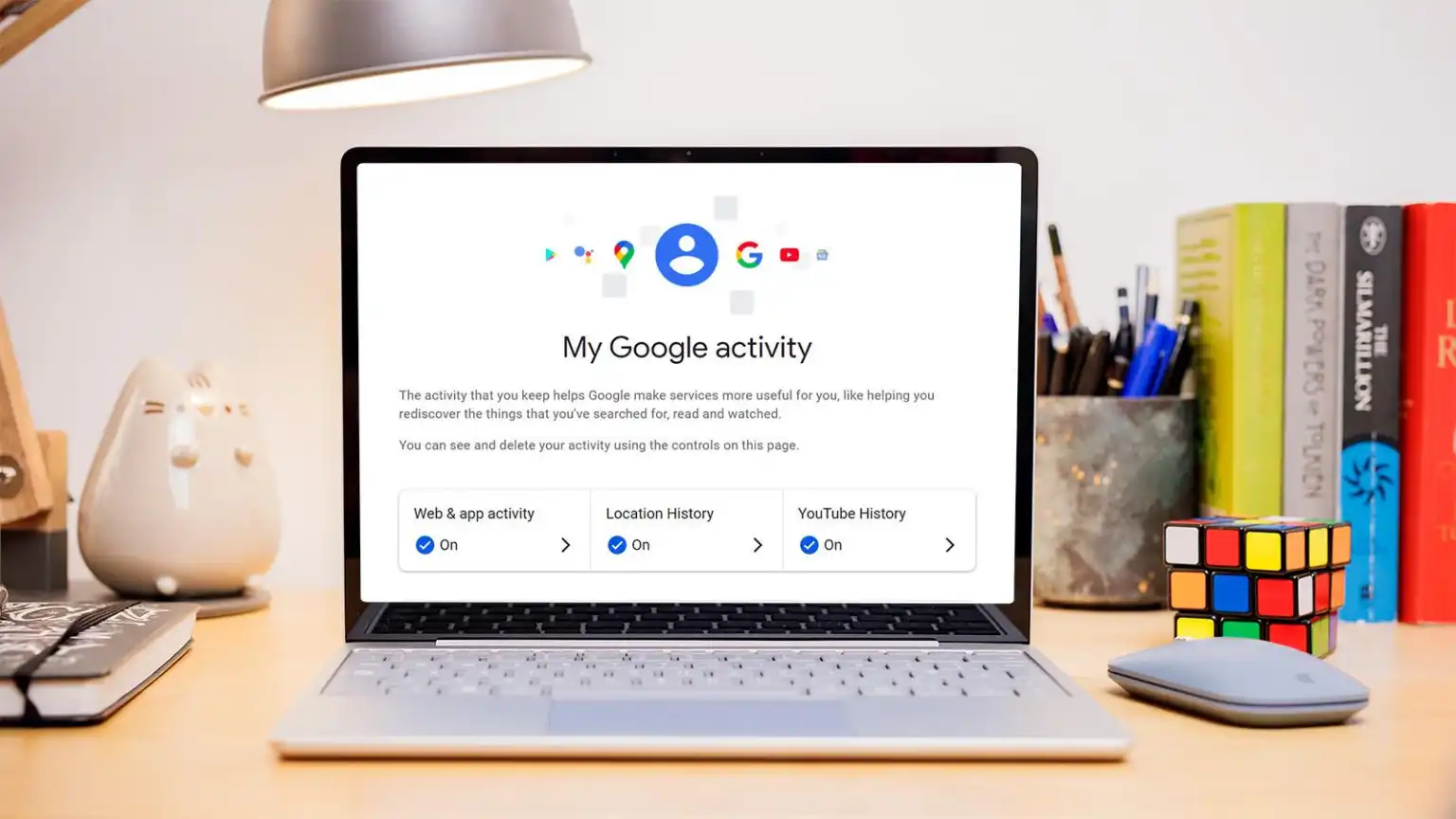
Every time you interact with a Google product while signed in, that interaction can be logged. <cite index=”3-1″>Google has broken down the activities into three main categories: Web & App Activity, Location History, and YouTube History.</cite>
Here’s what each covers:
- Web & App Activity — searches you run, websites you visit via Chrome, and app interactions on Android
- YouTube History — videos you’ve watched, searched for, or that were autoplayed
- Location History — places you’ve visited as tracked via Google Maps or your device’s GPS
<cite index=”4-1″>My Activity is a central place to view and manage activity such as searches you’ve done, websites you’ve visited, and videos you’ve watched — saved to your account to tailor your experience across Google services like Search, YouTube, and Chrome.</cite>
The data gets synced in real time and is accessible from any browser or the Google app on your phone.
How to Access Google My Activity
Getting to it is simple. Here’s how on both desktop and mobile:
On desktop:
- Go to myactivity.google.com and sign in
- You’ll land on a dashboard showing your recent activity
- Use the left-hand menu to filter by product (Search, YouTube, Maps, etc.)
On mobile (Google app):
- Open the Google app and tap your profile icon (top right)
- Tap Google Account → Data & Privacy
- Scroll to History settings → tap My Activity
You can also reach it from your Google Account settings under Data & Privacy.
Key Features — What You Can Actually Do Here
1. View Your Full Activity Log
Every search, video, and map query is listed with a timestamp. You can scroll back years. It’s detailed to the point of being a little unnerving.
Why it matters: It shows exactly what Google knows. Most people don’t look at this until something surprises them.
2. Filter by Date or Product
You can narrow your history by specific Google service or a custom date range — helpful when you’re looking for something specific or want to audit a particular period.
Why it matters: Bulk data is hard to parse. Filters make it manageable.
3. Delete Individual Items or Everything
Click the three-dot menu on any entry to delete it. Or use Delete activity by to wipe a date range or an entire category.
Why it matters: You’re not stuck with what’s there. Granular deletion lets you remove specific things without nuking your entire history.
4. Auto-Delete Settings
You can set Google to automatically delete activity older than 3 months, 18 months, or 36 months.
Why it matters: Set-and-forget privacy. You don’t have to remember to manually clean up.
5. Pause Tracking Entirely
Under each history category, you can turn off tracking completely — for Web & App Activity, Location History, and YouTube History independently.
Why it matters: Full opt-out is available, though it does reduce personalisation across Google services.
Pros and Cons — The Honest Version
Pros
- Transparency — you actually get to see what’s collected, which is more than most platforms offer
- Real control — you can delete, pause, or auto-delete without needing a tech background
- Useful for you too — ever forgotten where you read something? Your search history is genuinely helpful for retracing your steps
- Cross-device sync — your history is consistent whether you’re on phone, tablet, or laptop
Cons
- The data is extensive — most people don’t realise how much is tracked until they open the page for the first time
- Deletion isn’t total — <cite index=”2-1″>after you delete data from Google My Activity, Google might retain some of your data for a certain period due to their retention policies — typically not accessible to users, but used for internal purposes such as improving services.</cite>
- Shared devices are a real risk — <cite index=”4-1″>if you didn’t sign out of a shared device, like a public computer, someone else’s activity might appear in your account — or yours in theirs.</cite>
- It feeds ad targeting — <cite index=”7-1″>data collected via Google My Activity is used to personalise your experience and display more relevant advertisements, though users have the option of deactivating advertising personalisation.</cite>
Real-World Use Cases
Scenario 1: The forgetful researcher You spent two hours down a rabbit hole last Tuesday — articles, YouTube videos, a few Reddit threads — and now you can’t find that one article you wanted to share. My Activity lets you scroll back to exactly when it happened and find the URL.
Scenario 2: The privacy-conscious parent A parent sets up auto-delete for 3 months and disables YouTube History on their child’s Google account before handing them a tablet. Quick, practical, effective.
Scenario 3: The “did I really search that?” moment You open My Activity and see searches from 2 a.m. you barely remember. You delete the embarrassing ones individually, feel slightly better about yourself, and carry on.
Scenario 4: The shared work device situation Someone at work accidentally used their personal Google account on a shared office computer. My Activity shows logins from unfamiliar locations — a cue to sign out remotely and change passwords immediately.
Safety, Privacy & Legitimacy — Is Google My Activity Safe?
Yes, it’s a legitimate, official Google product. You access it through your Google account with the same security as Gmail or Drive.
<cite index=”7-1″>From a technical perspective, the system is well secured — access is only possible with valid account credentials. But the broader concern is less about IT security and more about the sheer volume of personal data being stored.</cite>
The real privacy question isn’t “can someone hack it?” — it’s “how comfortable are you with Google holding this much information about your life?”
Honestly? That’s a personal call. Google is transparent about what it collects and why (personalisation, ad targeting, product improvement). The controls are real and functional. But the defaults lean heavily toward collection, not privacy — you have to actively opt out rather than in.
For most everyday users, the risk isn’t a data breach. It’s passive discomfort once you actually see how detailed the log is.
Common Problems & Limitations
“I deleted it but it came back” This happens when auto-save is still enabled. Deleting history doesn’t pause tracking — you need to separately turn off the activity setting.
“I see activity I didn’t do” <cite index=”4-1″>If you’re signed into multiple accounts on the same device, activity from another account might appear in My Activity — or there’s a possibility someone accessed your account without permission.</cite> Change your password and enable two-factor authentication if anything looks off.
“My location history is wildly inaccurate” <cite index=”4-1″>If your device is set to a different date and time, activity might appear with an incorrect timestamp</cite> — and location data from GPS isn’t always precise, especially indoors or in areas with weak signal.
“Pausing tracking broke my recommendations” That’s the trade-off. Turning off Web & App Activity means Google Search and YouTube stop personalising results. Some people find this refreshing; others find it noticeably worse.
How It Compares to Alternatives
| Feature | Google My Activity | Apple Screen Time / Privacy Report | Firefox / Brave Browser History |
| Cross-service tracking | ✅ Full ecosystem | ✅ Apple ecosystem only | ❌ Browser only |
| Delete controls | ✅ Granular + auto-delete | ✅ Limited | ✅ Easy |
| Ad targeting use | ✅ Yes | ❌ No | ❌ No |
| Location history | ✅ Yes | ✅ Yes (opt-in) | ❌ No |
| Tied to account | ✅ Yes | ✅ Yes | ❌ Device only |
The honest reality: no major tech platform tracks nothing. Google’s advantage is that it at least shows you what it has. Apple’s privacy stance is stricter by default. Privacy-first browsers like Brave don’t track at all — but you lose the cross-device convenience entirely.
My Practical Take
The first time I opened My Activity properly — not just glancing at it, but actually scrolling back a few months — I was genuinely surprised. There were searches I’d forgotten, YouTube videos from late-night rabbit holes, and location check-ins that painted a very specific picture of my daily life.
Here’s the thing nobody really says: the tool itself isn’t the problem. The transparency is actually useful. What catches people off guard is the accumulation — years of data, all in one scrollable list, just… sitting there.
My recommendation is this: spend 15 minutes on myactivity.google.com, set auto-delete to 18 months (a reasonable middle ground), and decide which categories you actually want tracked. YouTube history? Probably fine. Location history? Think harder about that one.
You don’t have to go full privacy-mode to feel better about this. Small adjustments make a real difference.
Final Verdict
Use it if: You’re a regular Google user who wants to see and clean up what Google knows — or you want to use history for your own benefit (retracing research, finding old links).
Adjust it if: You’re uncomfortable with location tracking or ad personalisation, share devices, or just want a cleaner data footprint without abandoning Google entirely.
Go elsewhere if: You want zero tracking as a default — in which case, privacy-first tools like Brave, DuckDuckGo, or Apple’s ecosystem with tracking disabled are more your speed.
Key Takeaways
- Google My Activity logs your searches, YouTube watching, location, and more — all tied to your Google account
- You can view, delete, pause, or auto-delete your history at myactivity.google.com
- Deletion removes data from your account, but Google may retain some internally for a limited period
- The defaults favour collection — you need to actively adjust settings for more privacy
- It’s a legitimate, official Google tool — the privacy concern is about data volume, not security
FAQs
Q: What is my activity on Google?
A: Google My Activity is an official Google tool at myactivity.google.com that shows a log of everything you’ve done across Google services — searches, YouTube videos, Maps queries, Assistant interactions, and more. It’s tied to your Google account and syncs across all your devices.
Q: Is Google My Activity safe to use?
A: Yes, it’s a legitimate Google product protected by the same security as your Gmail or Google Drive. The bigger concern for most people isn’t hacking — it’s the amount of personal data Google stores. You can manage, delete, and limit what’s saved through the settings on the page.
Q: Can I delete everything on Google My Activity?
A: Yes. Go to myactivity.google.com, click Delete activity by, select All time, and choose which categories to delete. You can also set auto-delete to remove activity after 3, 18, or 36 months automatically.
Q: Does deleting My Activity actually delete it from Google’s servers?
A: Mostly. Google removes it from your account and deletes it from their systems over time — but their retention policies mean some data may be held internally for a short period. It won’t be accessible to you or used for personalisation after deletion.
Q: Why does My Activity show things I didn’t do?
A: This usually happens if you’re signed into multiple Google accounts on the same device, if someone else used your account, or if your device date/time is set incorrectly. If you see suspicious activity you can’t explain, change your password and enable two-factor authentication.
Q: Will turning off My Activity affect Google search results?
A: Yes. Pausing Web & App Activity means Google stops personalising your search results and recommendations. Results become more generic — some find this freeing, others notice the drop in relevance.
Q: How is Google My Activity different from Chrome history?
A: Chrome history is stored locally on your browser and device — delete it there and it’s gone. Google My Activity is account-level, synced across all devices, and tied to your Google profile. They overlap but are separate systems.
